
Upsell Popup
Add to cart upsell vs product page and checkout upsells
Product page, add-to-cart, and checkout-button upsells reach Shopify shoppers at different moments. Learn which placement fits your offer and how to test it simply.
Anita Williams · 7 October 2026
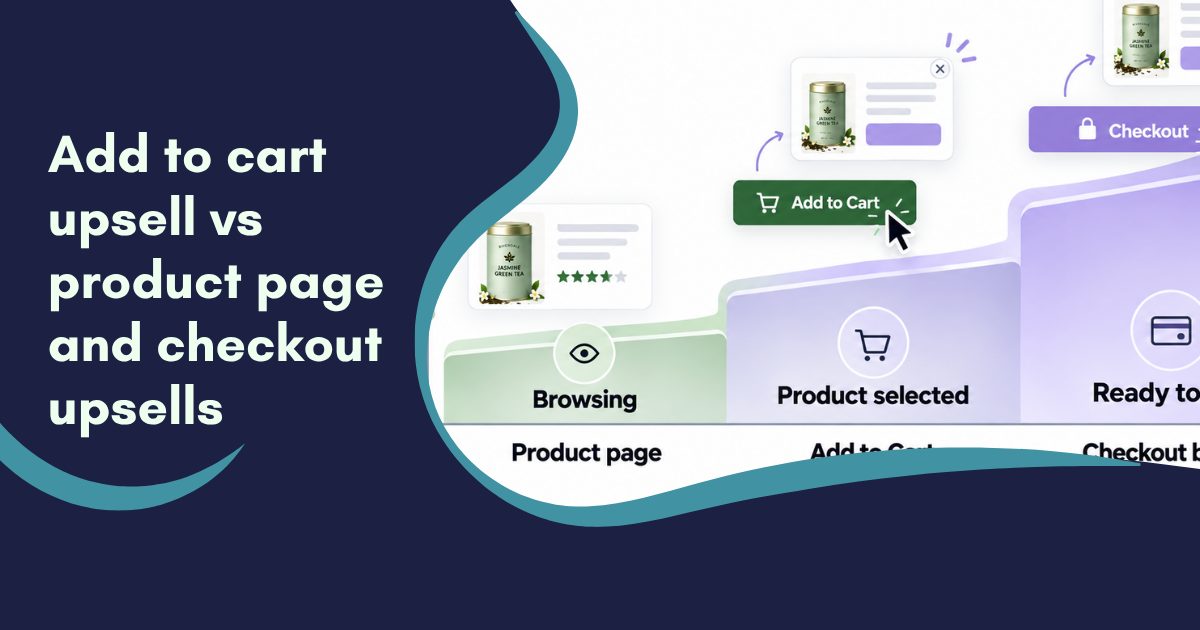
Choosing where to show an upsell can be just as important as choosing what to offer. A useful recommendation shown too early may be ignored. The same recommendation shown too late may add friction when a shopper is ready to pay.
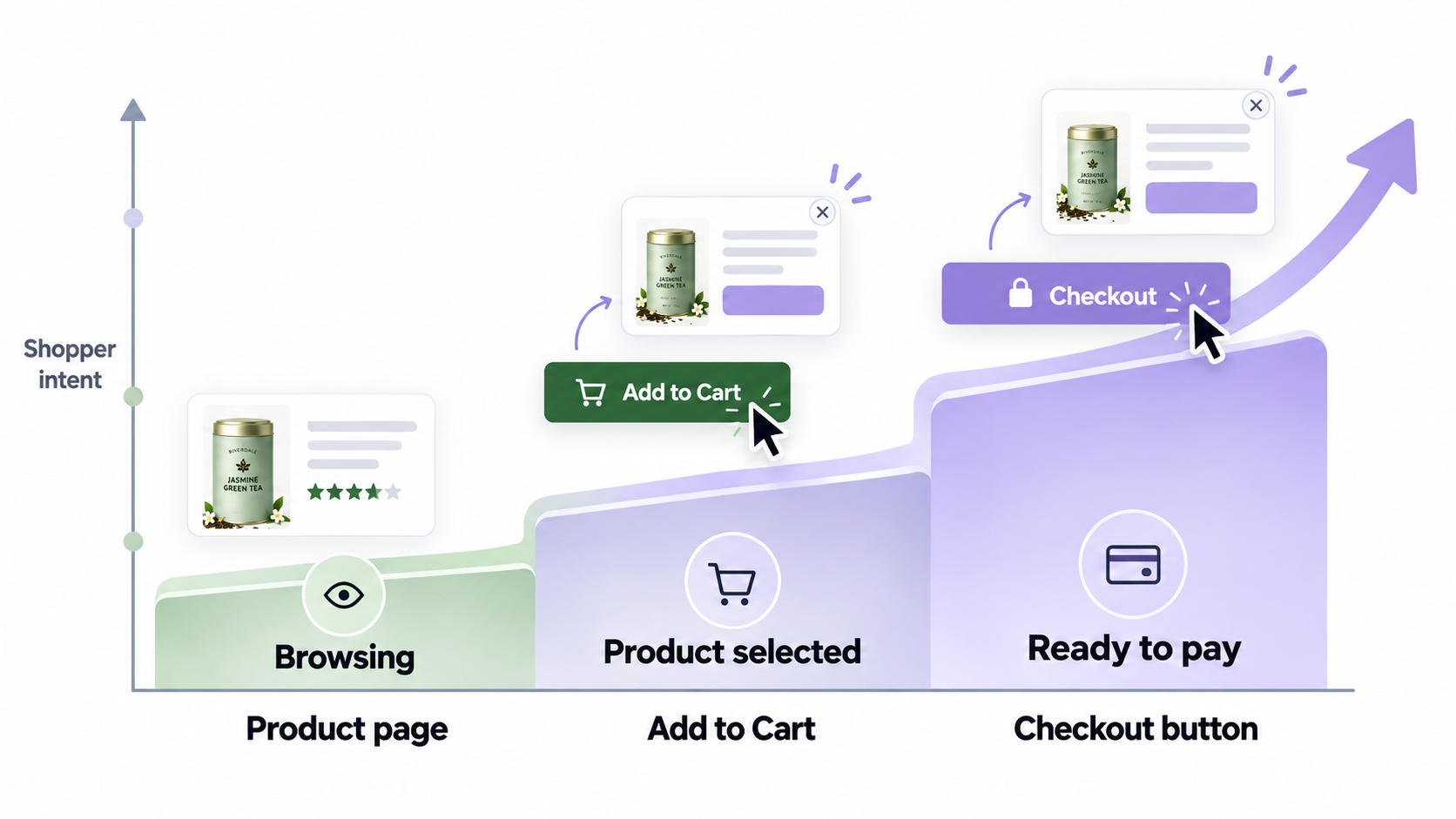
For an early-stage Shopify store, this decision matters because every placement competes for limited customer attention. Product page, add-to-cart and checkout-button offers each reach shoppers at a different level of buying intent.
This guide compares the three placements and explains how to choose a simple starting point for your store.
What you will learn
- How product page, add to cart upsell and checkout-button offers work
- The advantages and drawbacks of each placement
- Which placement suits common Shopify products and customer journeys
- How to test offers without overwhelming shoppers
- Where Upsell Popup by Jumi fits into a pre-purchase strategy
How the three upsell placements differ
All three placements appear before payment, but they serve different purposes. The best choice depends on customer intent and the friction an offer creates.
Product page upsell
A product page upsell appears while the shopper is still evaluating the main item. It may suggest a premium version, a larger size, a subscription or a related accessory.
This works well when the offer helps the customer choose the right version. For example, a skincare store could show a subscription beside a one-time purchase.
The drawback is timing. A shopper who has not chosen the main product may see another choice as extra work. Keep the difference easy to understand.
Advantages:
- Gives shoppers time to compare an upgrade
- Works well for premium versions, sizes and subscriptions
- Can explain the added value before cart commitment
Drawbacks:
- Adds another decision before the main purchase
- Can clutter a simple product page
- May be ignored by shoppers who are still browsing
Add-to-cart upsell
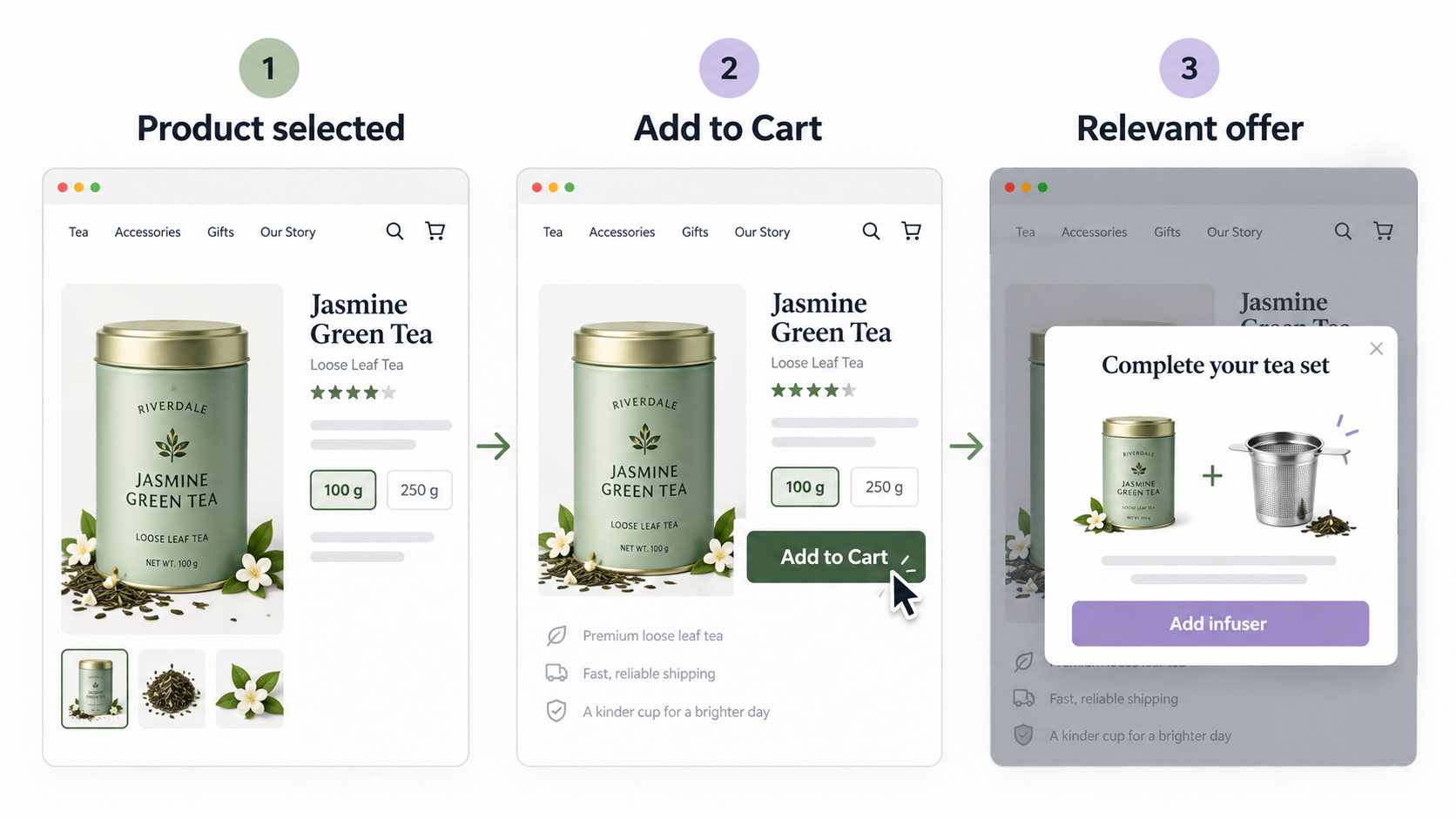
An add-to-cart upsell appears after a shopper clicks Add to Cart or an equivalent button eg Buy Now. The customer has made an initial decision, so you can focus on completing or improving the order.
This is a natural moment for accessories, consumables, gift wrapping, bundles, or frequently bought together products. For example, a tea store might suggest an infuser or a phone case store might suggest a screen protector.
Advantages:
- Reaches the shopper immediately after a clear buying signal
- Uses the selected product as context for the recommendation
- Suits accessories, bundles and frequently bought together offers
Drawbacks:
- An irrelevant popup can feel intrusive
- Too many choices can slow progress towards checkout
- Repeated triggers can create popup fatigue
Checkout-button upsell
A checkout-button upsell appears when a shopper clicks the checkout call-to-action, before they enter or complete Shopify checkout. This is not the same as an offer inside checkout or after payment.
At this point, purchase intent is high and the customer may want to finish quickly. The strongest offers are usually simple, low-risk additions such as gift wrapping, order protection or a small complementary product.
Avoid complex comparisons here. If the customer has to research the offer, the interruption can distract from the purchase they were ready to make.
Advantages:
- Reaches shoppers with strong purchase intent
- Suits small add-ons that need little explanation
- Can capture a final cross-sell before Shopify checkout begins
Drawbacks:
- Interrupts the customer at a sensitive point
- Complex or expensive offers can create hesitation
- The trigger must be clearly understood as pre-checkout, not in-checkout
Which upsell placement works best?
There is no single winner for every Shopify store. The best placement is the one that gives the customer useful information at the moment they can act on it confidently.
Choose a product page offer when the recommendation changes the main buying decision. This includes a premium model, larger pack, upgraded material or subscription option.
Choose an add-to-cart upsell when the shopper has selected the main item and a related product makes that purchase more useful. This often suits accessories, refills, bundles and care products.
Choose a checkout-button offer when the addition is easy to understand and does not require comparison. Gift wrapping is a clear example because the benefit, price and decision are simple.
How to choose the right placement for your Shopify store
Start with the customer problem, not the app setting. A short decision process will usually point to the right placement.
1. Define the job of the offer
Ask what the recommendation helps the customer do.
- Upgrade the main product: use the product page
- Complete the main product: test an add-to-cart upsell
- Add a simple service or extra: test the checkout button
If the offer has no clear customer benefit, improve the offer before choosing a trigger.
2. Match the offer to buying intent
Earlier placements allow more explanation. Later placements require faster decisions.
A premium coffee machine may need a feature comparison on the product page. Coffee beans matched to the selected machine can work after Add to Cart. Gift wrapping can work at the checkout button.
3. Keep the first test simple
Early-stage stores rarely need several campaigns at once. Start with one product group, one complementary offer and one trigger.
Track offer clicks, accepted offers and completed orders. Also check whether customers continue to checkout. Clicks alone do not prove the campaign helps the whole store.
4. Control frequency and relevance
Do not show the same popup after every click. Set sensible trigger and frequency rules so customers are not repeatedly interrupted.
Use the product already selected to guide the recommendation. Historical order data can also reveal products that customers often buy together, but a logical relationship is a good starting point when your store is new.
A practical starting plan for early-stage Shopify stores
For many new stores, an add-to-cart upsell is the simplest place to begin. It follows a clear customer action and gives you a selected product to use as context, as detailed in our How to upsell on Shopify: a step-by-step guide for store owners guide.
Where Upsell Popup by Jumi fits
Upsell Popup by Jumi is designed for pre-purchase offers on Shopify. It can trigger a popup when a shopper clicks Add to Cart, clicks the checkout call-to-action or clicks another button configured by the merchant.
You can test frequently bought together products, BOGO offers, upgrades, gift wrapping and bundles. Frequency controls help keep campaigns relevant, while analytics show clicks and conversions.
The app supports Shopify Markets, multiple languages and currencies. Visual settings let you match colours, borders and content sections to your theme, with custom CSS available for deeper styling.
You can explore Upsell Popup by Jumi and test the placement that best matches your customers with a 21-day free trial.
The bottom line
Product page upsells help shoppers compare or upgrade. Add-to-cart offers help them complete the product they selected. Checkout-button offers are best reserved for simple extras that do not slow the path to payment.
For an early-stage Shopify store, start with one clear use case and one placement. Keep the recommendation relevant, control how often it appears and judge it by its effect on the complete purchase journey.
The best upsell is not the one shown most often. It is the one that makes the customer’s original decision easier or more valuable.

Get the next guide by email
Occasional, practical notes on lifting average order value.


